Guidance of how to re-agree to updated Terms of Service and Privacy Policy with PC or smartphone
[Update: August 28, 2015]
We have updated portions of PlayMemories Online's Terms of Service and Privacy Policy.
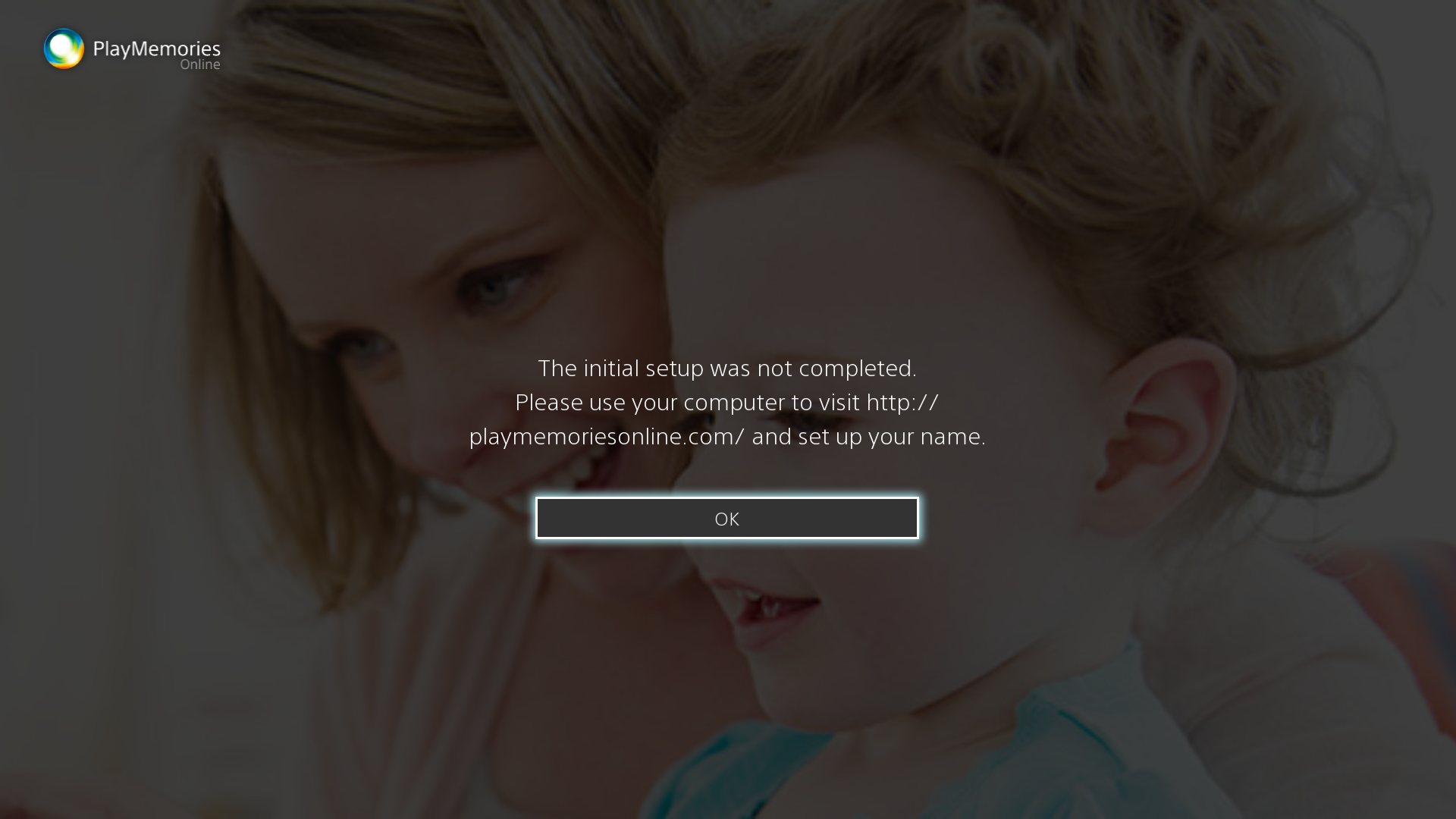
If you can’t sign-in to PlayMemories Online from BRAVIA and find error message as shown below, please agree to Terms of Service and Privacy Policy with other PlayMemories Online app such as PC or smartphone.
・ ”Our Terms of Service need to be accepted again. Please visit playmemoriesonline.com using a computer browser to login and accept our Terms of Service."
・ “The initial setup was not completed. Please use your computer to visit http://playmemoriesonline.com/ and set up your name.”
[Screen image]

We apologize for the inconvenience but please agree to Terms of Service and Privacy Policy according to the following procedure.
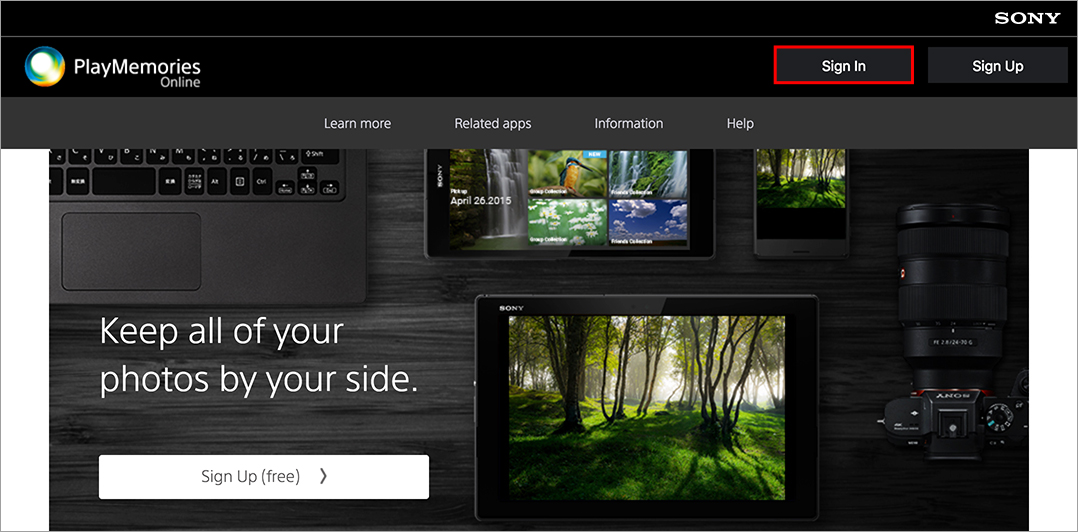
Step 1:
Open following web page with your PC or smartphone, and click “Sign-in” button.
http://playmemoriesonline.com/
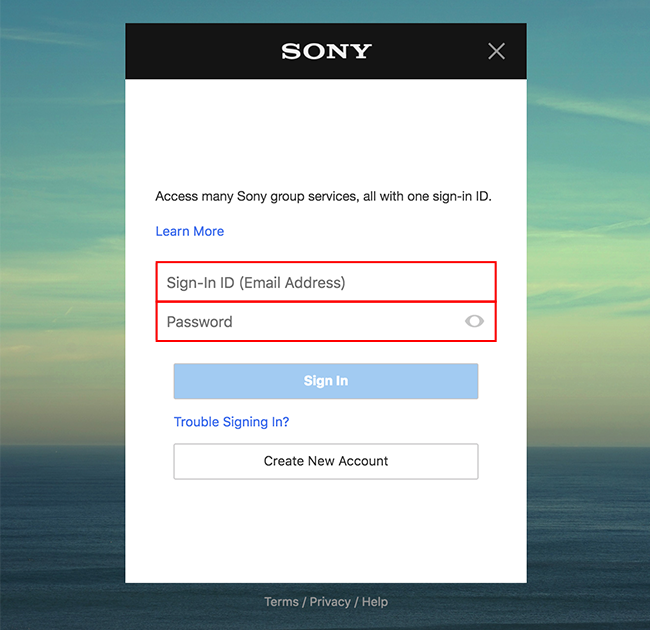
Step 2:
Input Sign-in ID and password and click “Sign-in” button.
Step 3:
Terms of Service and Privacy Policy will be displayed. Please confirm and agree to them.

By this agreement, you can sign-in to PlayMemories Online from BRAVIA also.